• Home
  • Blog
  • Support

VDMX - MAC VJ SOFTWARE

  • Home
  • Blog
  • Support
  • Menu
Code meets Animation

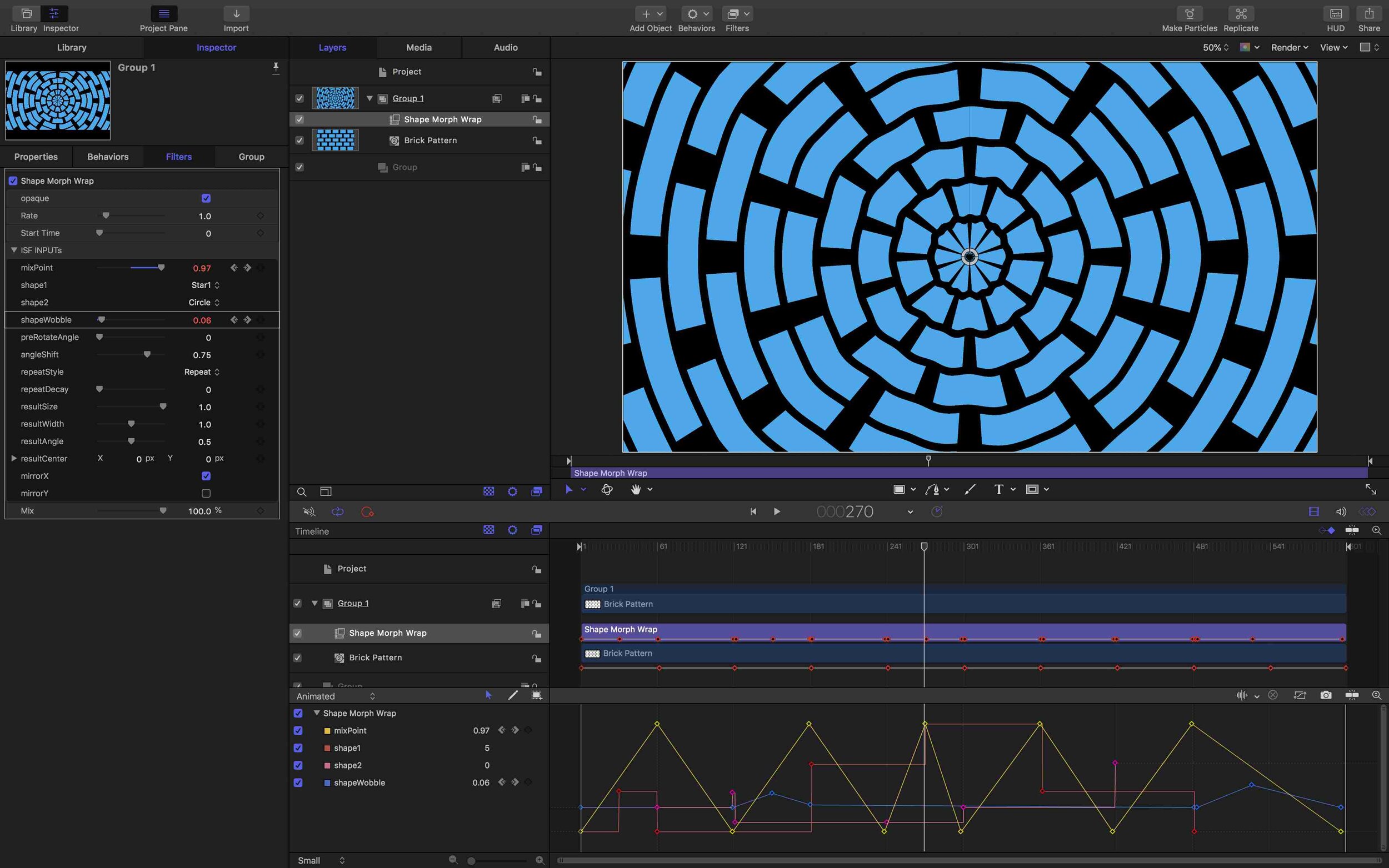
With ISF for Motion, published variables from GLSL shaders can be animated using value key-frames, adjustable directly from the Motion timeline editor. Iterate over different visual possibilities from your shader creations using bezier curve tools instead of writing complex code.

Apply as FX
Apply as FX

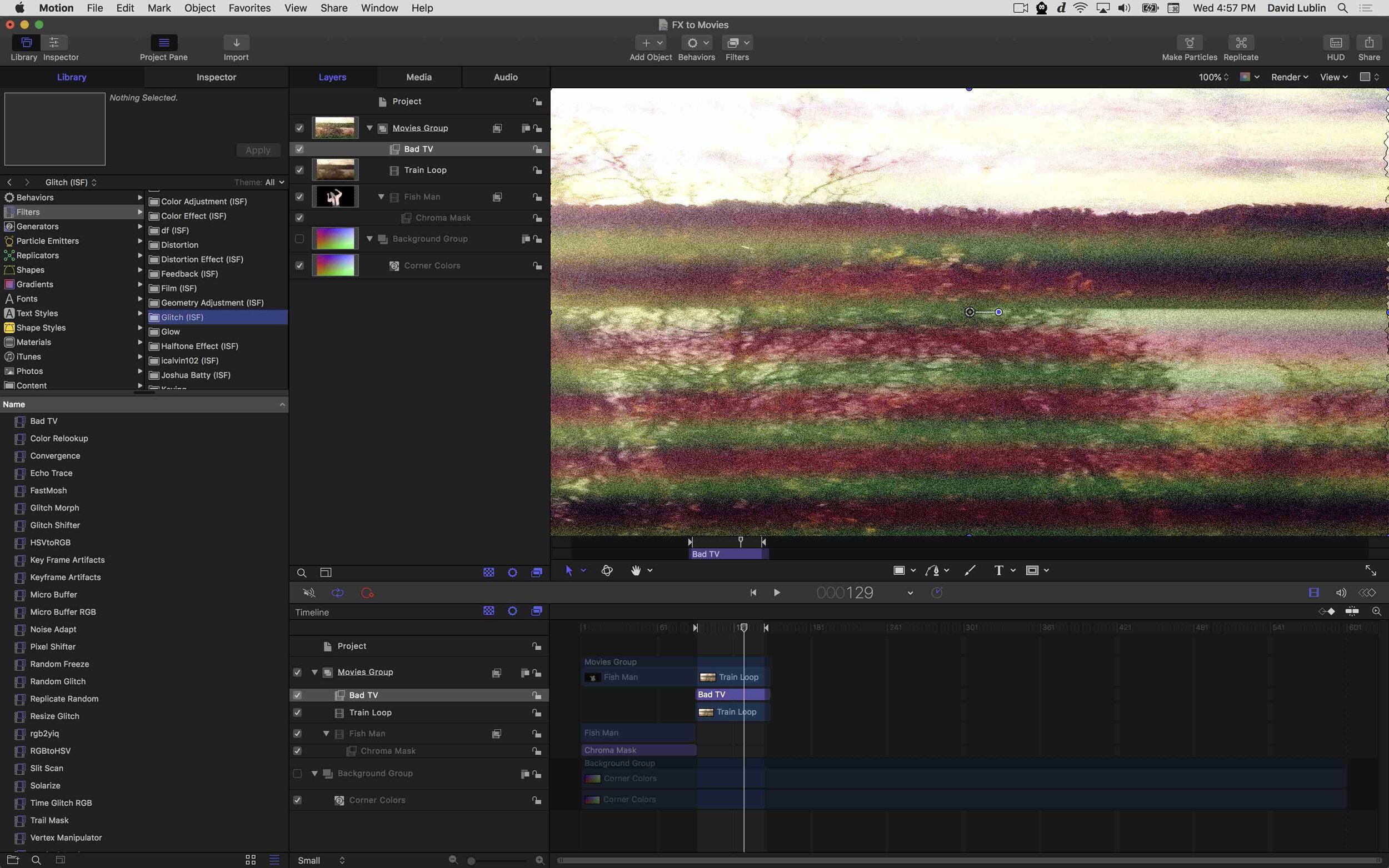
GLSL shaders written as FX can be applied to layers, including movies files and other generative assets, and re-exported, adding a new range of possibilities for using code to create and process video. With ISF for Motion you can easily experiment with different ways of combining your code creations to take them to the next level.

Movie Export
Movie Export

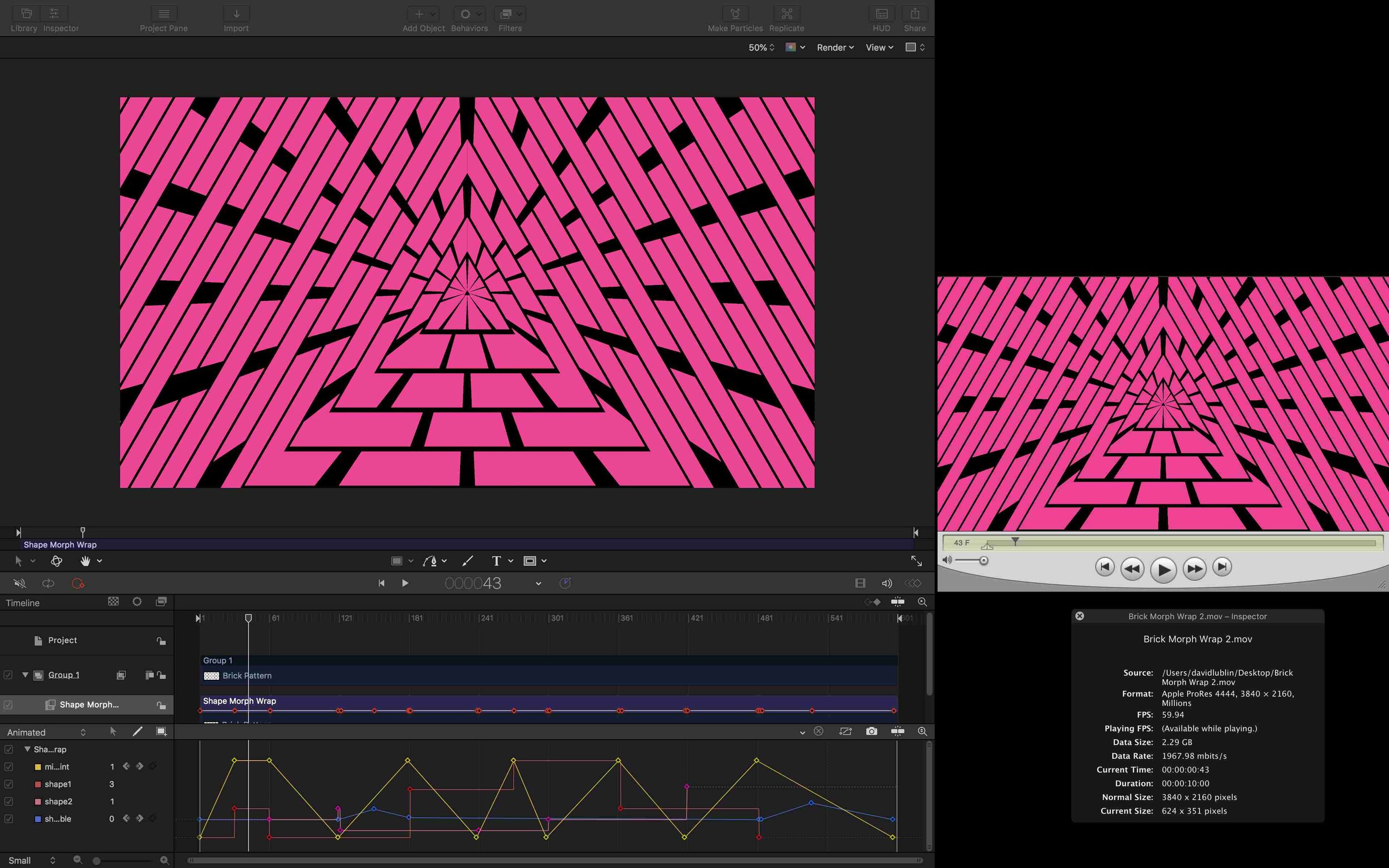
Compositions containing GLSL shaders can be exported from Motion and FCP X as movie files, at super high resolutions and frame rates. A great way to showcase code that is too complex to be rendered in real-time, even at 8K Ultra HD and larger.

FCP X
FCP X

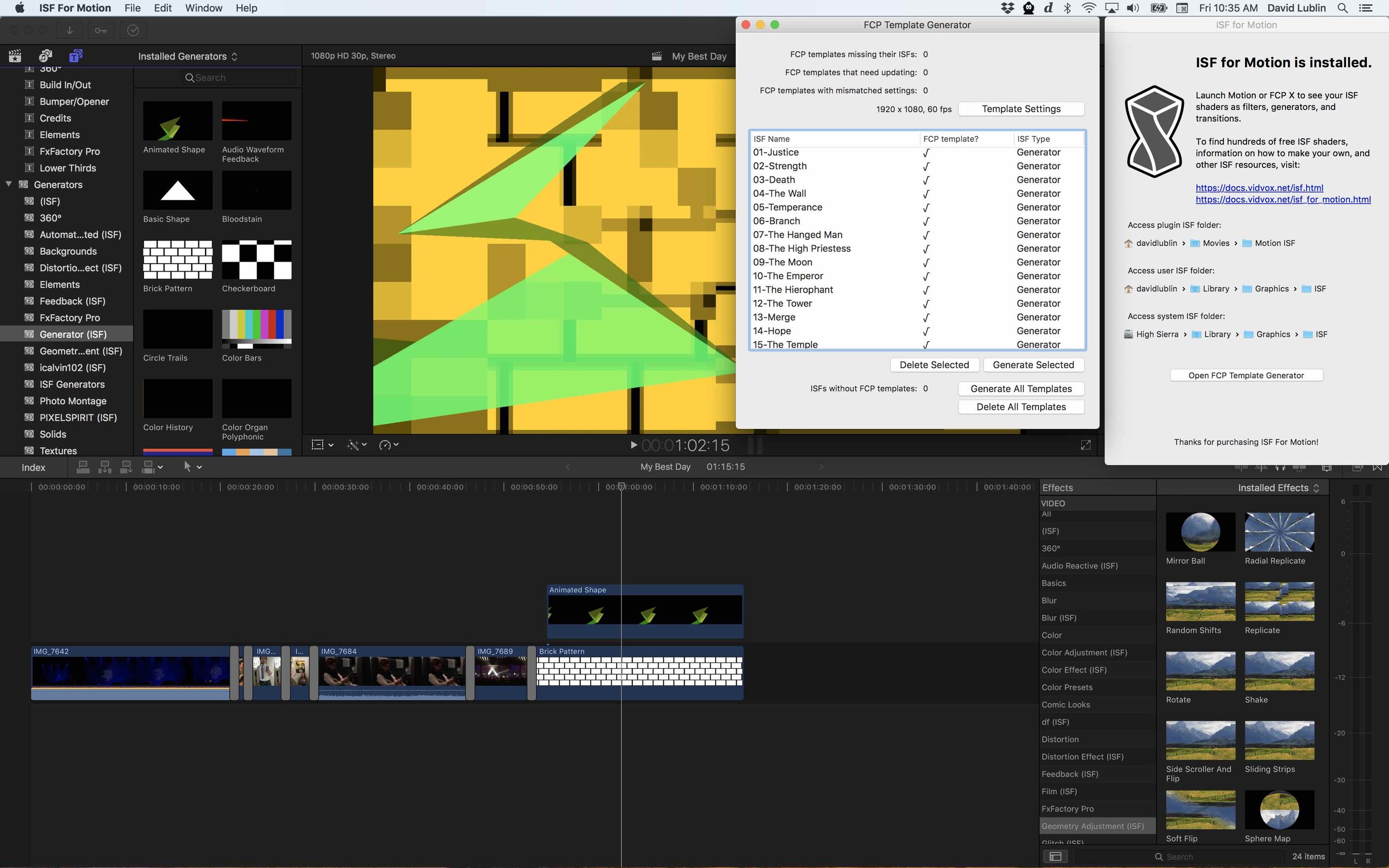
ISF for Motion can automatically create template files for loading shaders in Final Cut Pro X. Generators, filters and transitions show up in their appropriate categories along with their published input parameters.

Customize and Remix
Customize and Remix

With ISF for Motion, published variables from GLSL shaders can be animated using value key-frames, adjustable directly from the Motion timeline editor. Iterate over different visual possibilities from your shader creations using bezier curve tools instead of writing complex code.

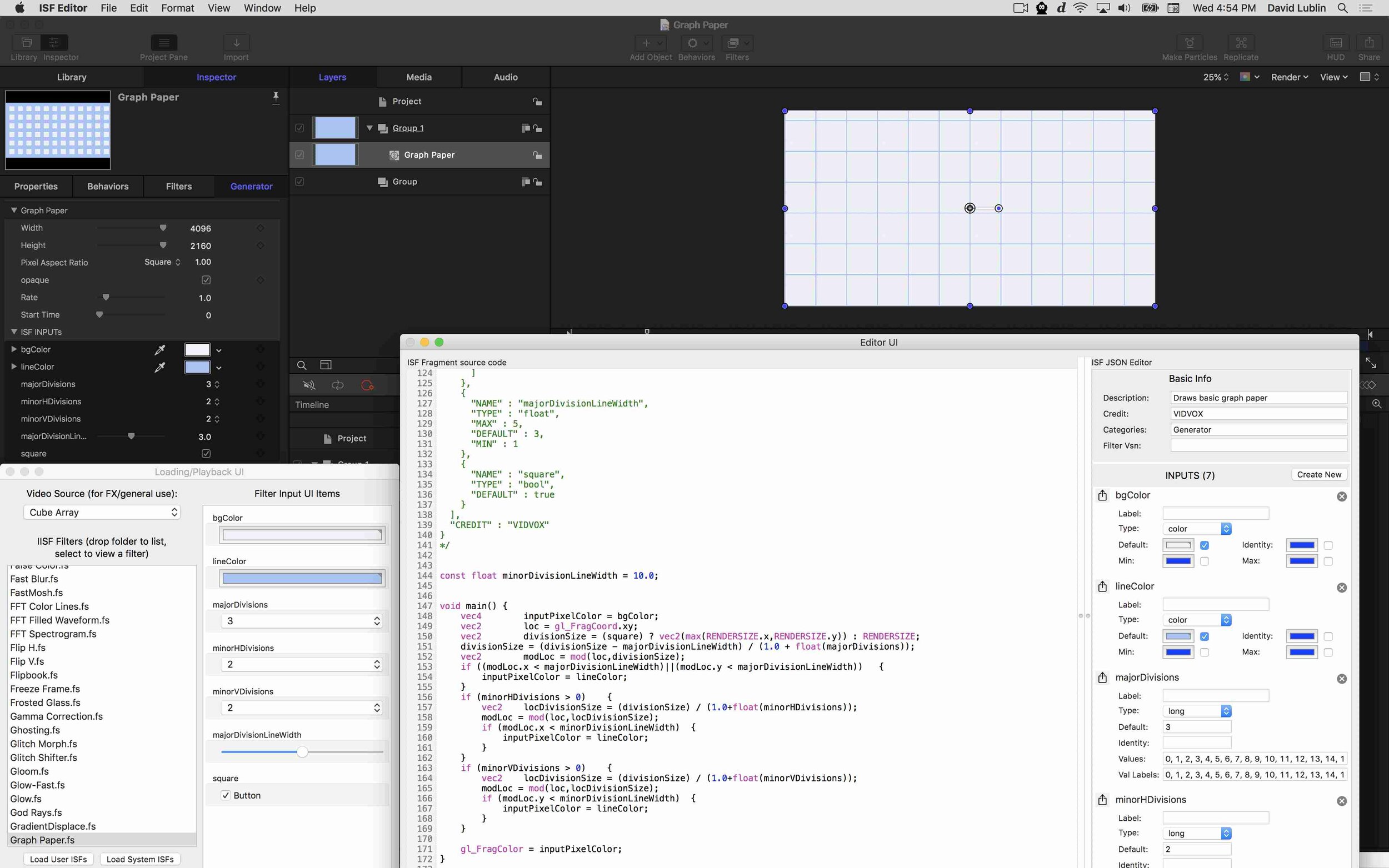
Beyond the standard set of included assets, ISF for Motion makes it possible for you to write your own GLSL code and watch it live update in the Motion preview. Works with any standard text editor, as well as our free ISF Editor tools.

ISF for Motion and Final Cut Pro X now available in the Mac App Store!

September 26, 2019

Today we are excited to announce ISF for Motion, a new way to use the same suite of real-time video generators and effects that we include with VDMX inside of Motion and Final Cut Pro X!

The ISF for Motion FxPlug enables usage of GLSL shaders written in the ISF specification within Apple Motion and FCP X alongside their standard generators, effects and transitions, opening up a world of new possibilities where creative code meets your traditional motion graphics and editing workflows.

Download and install ISF for Motion from the Mac App Store

Read More
In Open Source, VJ News Tags ISF, Motion, Final Cut Pro X, ISF for Motion

Download VDMX6

Download VDMX6 Plus

Download VDMX5


ISF for Motion


Buy VDMX

Email / Support

Free Sample Clips

Free Utility Apps

Open Source

GLSL Shaders

Privacy Policy

FAQ


Recent Features

Featured
Announcing VDMX 6.3!
Read more →
Community, Access, and Bending the Raster: A Conversation with Nica Ross and Seej

In the second episode of the VIDVOX podcast, hosts David Lublin and Cornelius sit down with two pillars of the live visual community: Nica Ross and Chris Jordan (Seej).

Read more →
Arts, Tech, and Glitch: A Conversation with Vade and Sarah GHP

The first in a new series of conversations from VIDVOX, hosts David Lublin and Cornelius (ProjectileObjects) sit down with artists Anton Marini (Vade) and SarahGHP to talk about breaking machines, analog history, and the art of making your own tools.

Read more →
Doing visuals for your first house party? Here's how to make it happen.
Read more →
ima_b688ecf_720.jpg
VDMX and macOS 26!
Read more →
Recommended VDMX Gear Guide 2025

Building the Ultimate VDMX Rig: The 2025 Gear Guide

Ready to build or upgrade your live visual setup? Our comprehensive new gear guide has you covered. We dive deep into the most important choice for any VJ: the right Apple Silicon Mac. Discover why even a budget-friendly Mac Mini can be a powerhouse for standalone installations, and which MacBook Pro models are best for the most demanding shows.

But the computer is just the start. We also cover crucial pro-tips on which macOS version to run for maximum stability, our top picks for essential peripherals like external SSDs, capture cards, and Thunderbolt docks, and a complete checklist for your VJ travel kit. Whether you're a seasoned pro or just starting out, this guide has the recommendations you need to build a rock-solid VDMX system. [Click to read the full guide...]

Read more →
Color Spaces, Compression Quality Metrics, and the Human Eye
Read more →
VDMX 6.2 Update: Pop over previews, directly capture audio from other apps, and more!

The VDMX 6.2 update is here! Directly capture audio from other applications, bundled ProjectMilkSyphon, improved fullscreen output panel, pop out previews, and more!

Read more →
Featured
Receiving and Displaying MIDI Time Code (MTC) with ISF
Read more →
VDMX_OREI_4Way.png
Four Outputs From One Mac: Using VDMX Advanced Output With an Affordable Video Wall Processor
Read more →
VDMX Eurorack Clock Sync Tutorial with the Pamela's Pro Workout

When working with Eurorack systems alongside VDMX, a particularly useful technique is to synchronize the clock timing between the systems using MIDI. In this tutorial we will be looking at two different ways to go about this. In the first section we will use the MIDI Clock output feature of VDMX to drive a Eurorack clock module. In the second section we will flip this and use MIDI clock out from our Eurorack clock module to control the tempo of a Clock plugin in VDMX.

Read more →
Spooky Halloween Projections with VDMX
Read more →
VuoSources.gif
Extending VDMX6 Plus with Vuo
Read more →
VDMX and Ableton Live: A Beginner's Guide to Animate your Music.

Learn how to create a powerful audio-visual synthesizer by linking VDMX and Ableton Live. This tutorial shows you how to use MIDI to control your music and then drive stunning, reactive visuals from your audio. Perfect for performers and creators looking to add a dynamic visual layer to their projects.

Read more →
Creating glitchy hologram style visuals with the Remove Background FX in VDMX6
Read more →
Some techniques for drawing text in GLSL
Read more →
Visualizing and adjusting color levels with the VDMX Scopes plugin
Read more →

Top Posts

Automatic BPM Detection

The “Hap” Open Source Video Codecs for OS X

Multi-screen video mixing on a Macbook Pro

Creating a multi-channel live camera video sampler

Video Fundamentals Taught with VDMX Part 1


Tutorials by Topic

Quick Start

Basics

Intermediate

Technique

Templates

Data-Sources

MIDI / OSC / DMX

Quartz Composer

ISF