• Home
  • Blog
  • Support

VDMX - MAC VJ SOFTWARE

  • Home
  • Blog
  • Support
  • Menu

The Fantastic Work of Wiley Wiggins

November 5, 2016

Today we're joined by the fantastic Wiley Wiggins who in addition to working as an actor and animator for film (of Dazed and Confused, Waking Life, Computer Chess fame) AND as an interactive designer (currently working on an adventure game called Thunderbeam), is also an amazing visualist. For this post Wiley has written up his history of getting into performing live visuals and how things have changed in just the last few years as technology rapidly changes.

(also check out Wiley's guest tutorial on using VDMX alongside Lumen)

When I first started doing projections it was the typical pre-rendered mish-mosh of after effects and stock footage played off of DVD. Gradually the projects I worked on got more and more ambitious, incorporating midi cues from bands playing live, lighting control, live video feeds, and allowing audience members access to some of the controls. I prefer making DIY interactive installations and collaborating with other musicians and artists to being used as club wallpaper, and I'm always learning new things. Some of my favorite projects that I've worked on with VDMX were two large shows with The Octopus Project- Hexadecagon in 2010, where we cobbled together a multi-projector show with duct tape, osc over ethernet and some Matrox DualHead2Go's back before Macbooks had thunderbolt. We experienced all sorts of weird hiccups back then, like when we discovered that our videos were choking because the speaker cabinets were making our hard drive speeds drop and we had to switch to SSD's. Just five years ago we had to use tangled quartz compositions to trigger animations with alpha from midi signals, something that VDMX could easily handle on its own now with modern hardware.

One of the things I love about VDMX is the ability it gives you to improvise. If something isn't feeling right, you can change gears on the fly. Videoinstumentalism is so satisfying, even when I make messes, they tend to be interesting messes. The ability to experiment in real time and save triggerable presets is now deeply ingrained in the way I work creatively.
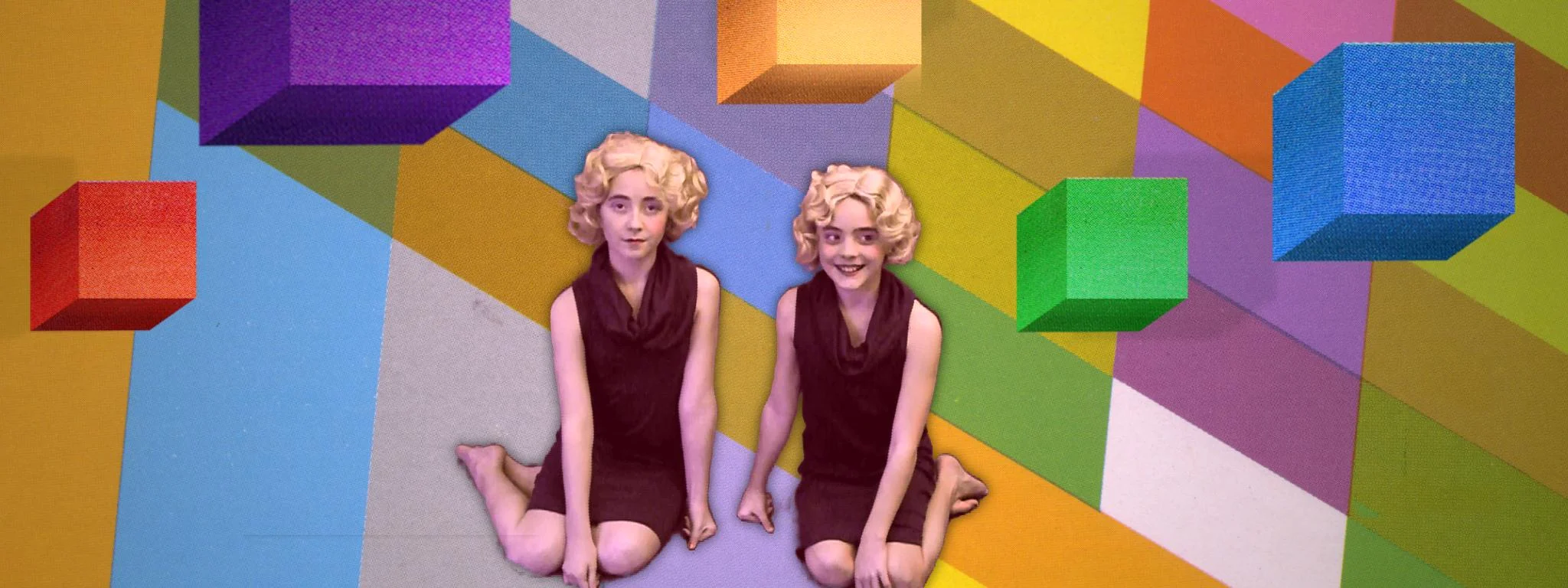
Also Big shout out to Dan Winckler who helped out with the supplemental Max and Quartz Composer projects on Hexadecagon, and the innumerable contributions from The Octopus Project who are amazing motion graphics artists and learned VDMX right along with me on each project.

The last big project I did was called Shapes (and other shapes). It was a collaborative experiment with The Octopus Project and artist pal Katie Rose Pipkin. Randomly generated passages of a slowly translating text are printed out for a human actor to read, while projections mapped around the room and on a giant rotating cube illustrate something like an abstract creation myth. The band plays unseen except for occasional backlit shadows behind a screen.
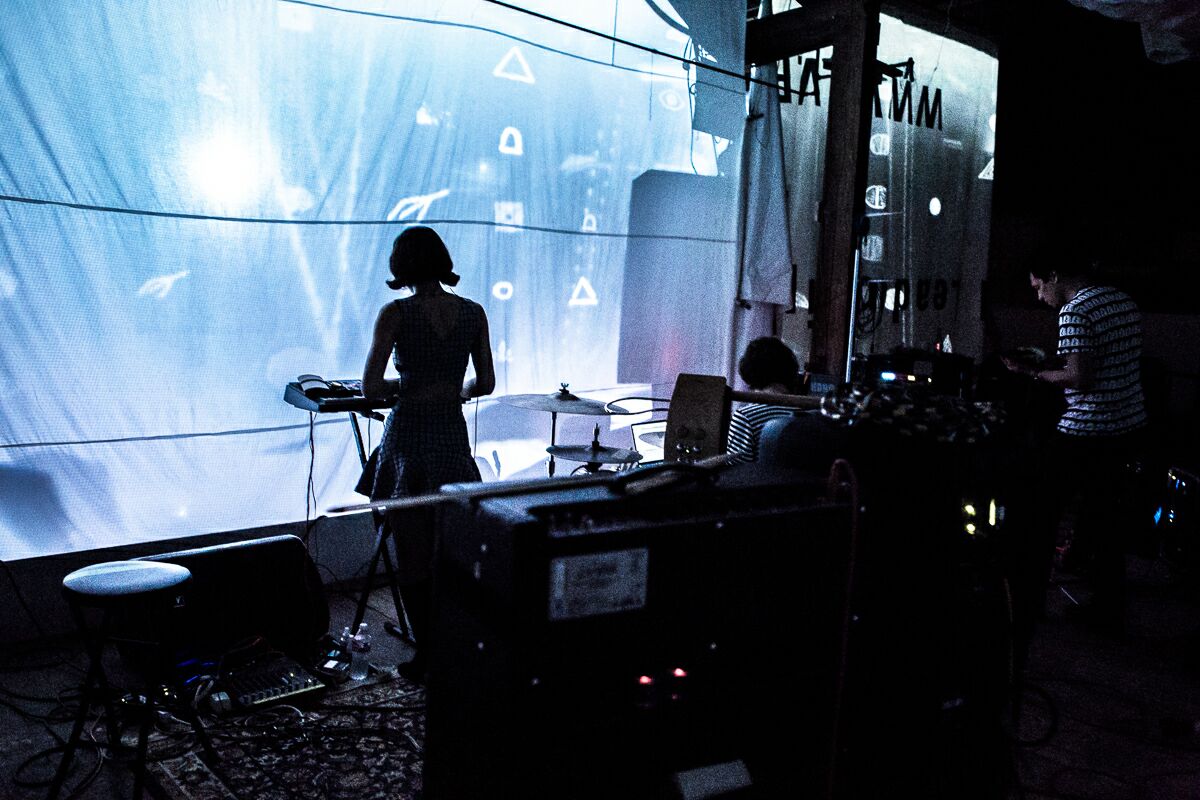
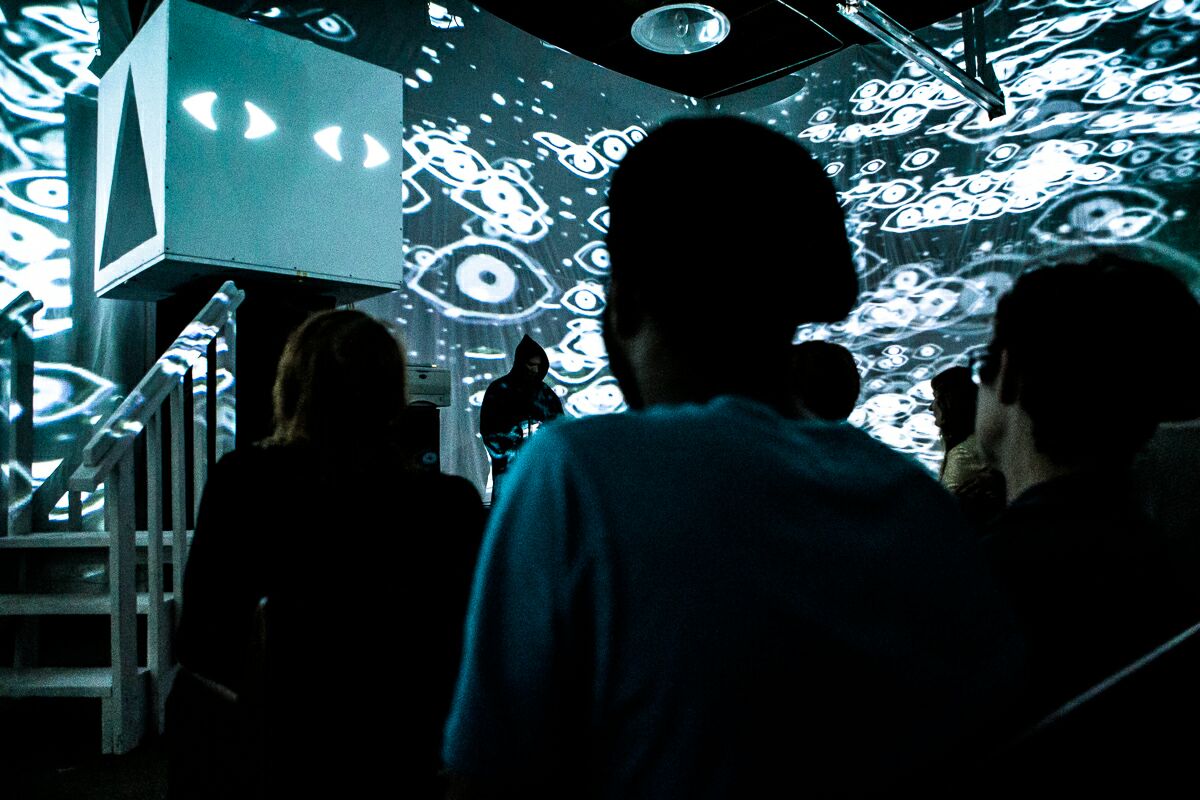
The most ridiculous thing we tried to do was map video onto a rotating cube without any kind of kinect/computer vision/fancy solution. At the base of the cube was a potentiometer and arduino hooked to a homemade extra long usb cable made out of speaker wire. The Arduino sent midi to vdmx, which in turn animated a 3d cube quartz composer patch, which is angled and deformed in such a way that it looks like it's mapping onto the sides of the cube. It definitely wasn't perfect, but it was good enough! We also had a fun gimmick where whenever the text generator printed out "Alokwoim said:" the actor would press a Powermate which would then put a vocal transformation on his voice, and an audio analysis plugin in vdmx would then animate a layer projecting on the cube, making it look like a face was talking. Unfortunately since it was a random chance of it ever occurring, I think only two out of all of the performances we did ever had this happen.

I wanted some cool rolling landscapes in part of the projections, so I asked my friend Fernando Ramallo if he would include a syphon server in he and David Kanaga's beautiful art game Panoramical, which then ended up becoming the Panoramical pro version. Everybody should check it out!

In Artist Feature Tags Wiley Wiggins
← January 2017 Back to School SaleNew VDMX Update! Cue List, Timecode, Data Looper plugins and more! →

Download VDMX6

Download VDMX6 Plus

Download VDMX5


ISF for Motion


Buy VDMX

Email / Support

Free Sample Clips

Free Utility Apps

Open Source

GLSL Shaders

Privacy Policy

FAQ


Recent Features

Featured
Announcing VDMX 6.3!
Read more →
Community, Access, and Bending the Raster: A Conversation with Nica Ross and Seej

In the second episode of the VIDVOX podcast, hosts David Lublin and Cornelius sit down with two pillars of the live visual community: Nica Ross and Chris Jordan (Seej).

Read more →
Arts, Tech, and Glitch: A Conversation with Vade and Sarah GHP

The first in a new series of conversations from VIDVOX, hosts David Lublin and Cornelius (ProjectileObjects) sit down with artists Anton Marini (Vade) and SarahGHP to talk about breaking machines, analog history, and the art of making your own tools.

Read more →
Doing visuals for your first house party? Here's how to make it happen.
Read more →
ima_b688ecf_720.jpg
VDMX and macOS 26!
Read more →
Recommended VDMX Gear Guide 2025

Building the Ultimate VDMX Rig: The 2025 Gear Guide

Ready to build or upgrade your live visual setup? Our comprehensive new gear guide has you covered. We dive deep into the most important choice for any VJ: the right Apple Silicon Mac. Discover why even a budget-friendly Mac Mini can be a powerhouse for standalone installations, and which MacBook Pro models are best for the most demanding shows.

But the computer is just the start. We also cover crucial pro-tips on which macOS version to run for maximum stability, our top picks for essential peripherals like external SSDs, capture cards, and Thunderbolt docks, and a complete checklist for your VJ travel kit. Whether you're a seasoned pro or just starting out, this guide has the recommendations you need to build a rock-solid VDMX system. [Click to read the full guide...]

Read more →
Color Spaces, Compression Quality Metrics, and the Human Eye
Read more →
VDMX 6.2 Update: Pop over previews, directly capture audio from other apps, and more!

The VDMX 6.2 update is here! Directly capture audio from other applications, bundled ProjectMilkSyphon, improved fullscreen output panel, pop out previews, and more!

Read more →
Featured
Receiving and Displaying MIDI Time Code (MTC) with ISF
Read more →
VDMX_OREI_4Way.png
Four Outputs From One Mac: Using VDMX Advanced Output With an Affordable Video Wall Processor
Read more →
VDMX Eurorack Clock Sync Tutorial with the Pamela's Pro Workout

When working with Eurorack systems alongside VDMX, a particularly useful technique is to synchronize the clock timing between the systems using MIDI. In this tutorial we will be looking at two different ways to go about this. In the first section we will use the MIDI Clock output feature of VDMX to drive a Eurorack clock module. In the second section we will flip this and use MIDI clock out from our Eurorack clock module to control the tempo of a Clock plugin in VDMX.

Read more →
Spooky Halloween Projections with VDMX
Read more →
VuoSources.gif
Extending VDMX6 Plus with Vuo
Read more →
VDMX and Ableton Live: A Beginner's Guide to Animate your Music.

Learn how to create a powerful audio-visual synthesizer by linking VDMX and Ableton Live. This tutorial shows you how to use MIDI to control your music and then drive stunning, reactive visuals from your audio. Perfect for performers and creators looking to add a dynamic visual layer to their projects.

Read more →
Creating glitchy hologram style visuals with the Remove Background FX in VDMX6
Read more →
Some techniques for drawing text in GLSL
Read more →
Visualizing and adjusting color levels with the VDMX Scopes plugin
Read more →

Top Posts

Automatic BPM Detection

The “Hap” Open Source Video Codecs for OS X

Multi-screen video mixing on a Macbook Pro

Creating a multi-channel live camera video sampler

Video Fundamentals Taught with VDMX Part 1


Tutorials by Topic

Quick Start

Basics

Intermediate

Technique

Templates

Data-Sources

MIDI / OSC / DMX

Quartz Composer

ISF